

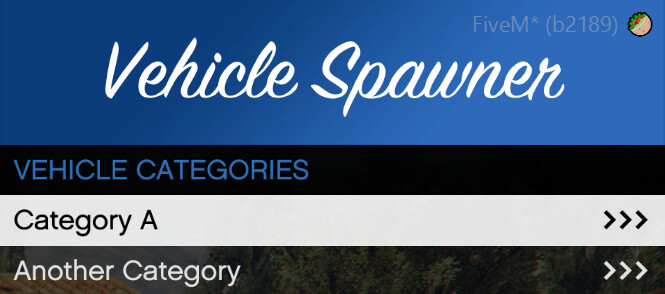
Vehicle Spawner Unbranded
Badger Vehicle Spawner is a simple Vehicle Spawner Menu using MenuAPI (https://github.com/TomGrobbe/MenuAPI)
This spawner allows resticting categories to ace perms.
[config.json]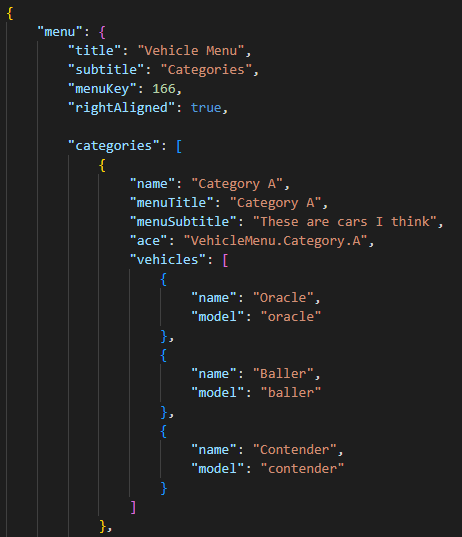
All configuration for the script is done through config.json, stored in a "config" folder.
title: This determines the title of the main menu
menuKey: This determineswhat key is used to open the menu. By default, this is F5.
Numbers for each key can be found here: https://docs.fivem.net/docs/game-references/controls/
rightAlligned: When true, the menu will be alligned to the right hand screen. This is enabled by default.
menus:
This is where you set up each category. In the default config, there are two cateogires so you can see how to set up a category and have multiple.
name: This sets the display name for each category.
menuTitle: This sets the name of the menu title when in that category.
menuSubtitle: This sets the name of the menu subtitle when in that category.
ace: This sets the ace perm that is required to have access to the category. This can be changed to anything.
vehicles: This is an array of all vehicles in the category.
name: This sets the display name of the vehicle in the menu.
model: This sets the modelname (spawncode) for the vehicle.
[Ace Permissions Example]
In this example, let's say that the first category should be only for admins, or the ace group "group.admin".
To do this, I would first decide what ace perm I wanted to restrict the category to. Lets say I do "VehicleSpawner.Admin".
The aceRequired value in the menu in the config should therefore be "VehicleSpawner.Admin". To give admins this ace perm, I will then, in my server.cfg, do `add_ace group.admin VehicleSpawner.Admin allow`
By doing this, I have restricted the first category to just admins.